AI Abstract Art Generator
Upload a photo and get it restyled into bold, expressive abstract art.
What the Abstract Art Generator does
A photo can be the starting point for a painting instead of the finished piece. Upload an image and the AI repaints it as abstract art: expressive brushwork, bold color choices, and geometric or fragmented shapes standing in for the original's realistic detail. It works well on portraits, landscapes, and everyday snapshots alike, since the point isn't to preserve a literal likeness but to reinterpret the subject through color and form. You get back a single styled image that keeps a trace of the original composition while pushing the rest toward something closer to a gallery piece than a photograph.
See a sample result
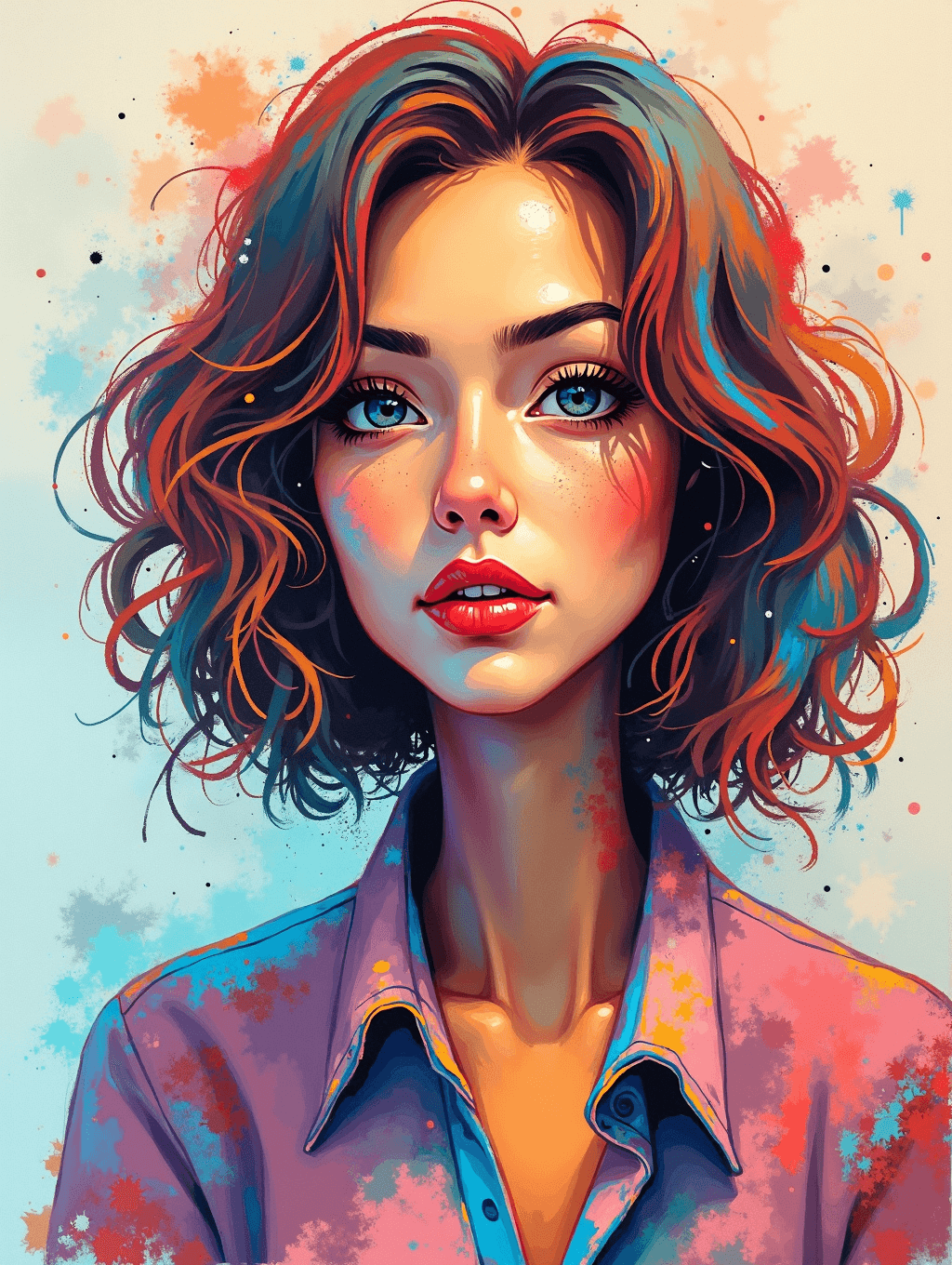
Input: A straightforward, well-lit portrait photo of a young woman with wavy hair, facing the camera in a plain collared shirt against a neutral background. The result looks similar to the image at the top of this page.
The portrait is repainted with bold, saturated color across her hair and skin: streaks of red, orange, and teal woven through the waves, and warm gold highlighting the cheekbones and lips against a deep red mouth. The background dissolves into a pale cream field scattered with loose paint splatters and drips in blue, coral, and yellow, giving the piece a mixed-media feel rather than a clean photographic backdrop. Her collared shirt shifts into flat blocks of purple and pink with visible brush-edge texture instead of realistic fabric folds, and fine linework traces her features the way a digital illustration would rather than a camera. The likeness stays loosely recognizable through pose and composition, but nearly every surface has been reworked into expressive, hand-painted color and texture.
How it works
- 1
Upload a photo with a clear subject
A portrait, a scene, or an object with strong shapes gives the AI something distinct to reinterpret. Busy, cluttered photos tend to lose more detail in translation.
- 2
Describe a color or mood in the instruction
Name a palette or feeling, like 'warm oranges and blues' or 'high contrast and jagged,' to steer the result instead of leaving the style choice generic.
- 3
The AI reworks color, shape, and texture
It replaces realistic detail with bold color blocking, fragmented or geometric forms, and visible brushwork or paint-like texture across the frame.
- 4
Get back one abstract image
The output keeps a loose trace of your original composition and subject placement, restyled through color and shape rather than photographic detail. Run it again with a different instruction for a distinct variation.
Use cases
Wall art from a personal photo
Turn a favorite portrait or travel photo into something closer to a painting, worth printing and framing instead of leaving as a phone photo.
Profile pictures with a distinct look
Restyle a headshot into abstract art for a social profile or portfolio piece that stands apart from a typical photo grid.
Album art or creative project covers
Generate a striking, non-literal image from a source photo for use as cover art on a personal creative project.
Exploring a photo's composition differently
See how a photo's shapes and framing hold up once the realistic detail is stripped away, which can be useful for artists studying composition.
Gift art from a shared photo
Turn a photo of a person, pet, or place that means something to someone into a piece of styled art rather than another printed photograph.
Tips for better results
- Start with a photo that has a clear subject and simple background, since busy scenes tend to lose more structure in the abstraction.
- Name a specific color palette in the instruction rather than leaving it open, for a more intentional-looking result.
- Try the same photo with a few different mood or color instructions to see which direction fits best.
- Expect likeness to loosen: this tool reworks nearly every surface, so treat the result as art inspired by your photo, not a filtered version of it.
- Use a higher-resolution source photo if you plan to print the result, since detail added by the AI won't recover missing resolution from the original.
Frequently asked questions
Will the result still look like the original photo?
Loosely, in composition and subject placement, but color, texture, and most surface detail are reworked heavily. Treat it as art inspired by your photo rather than a lightly filtered version.
Can I control the color palette used?
Yes, describe the colors or mood you want in the instruction box, like 'cool blues and purples' or 'warm and high contrast,' and the result follows that direction.
Does this work on photos other than portraits?
Yes, landscapes, objects, and everyday scenes all work. Subjects with strong, distinct shapes tend to translate into abstract forms more clearly than busy or low-contrast photos.
Can I get a fully non-representational result, with no recognizable subject at all?
Mention that directly in the instruction, like 'fully abstract, no recognizable face or object,' since the default keeps a loose trace of the original composition.
Why does it add texture or splatter that wasn't in my photo?
This is a generative edit built to mimic painted or mixed-media art, so it invents brushwork, texture, and background elements consistent with that style rather than only adjusting your existing pixels.
Will it keep text or logos from my original photo?
Text and logos usually don't survive the restyling clearly, since the process replaces most surface detail with painterly color and shape. Don't rely on this tool to preserve legible text.
Plans start at $9 a month. See pricing