Telescope Image Analyzer
Upload a night sky photo and find out which stars, planets, or deep sky objects you actually captured.
What the Telescope Image Analyzer does
You point a camera or telescope at the sky, get a shot full of stars and a faint smudge you can't name, and want to know what you actually caught. Drop that photo in and the AI reads the star patterns, brightness, color, and shape of what's visible to suggest which objects are in frame, whether that's a planet, a section of the Milky Way, a nebula, or a galaxy. It also comments on image quality: tracking blur, noise, and how much detail actually came through. You get plain-language identification and context, written for someone who wants to know what they're looking at rather than a research paper.
See a sample result
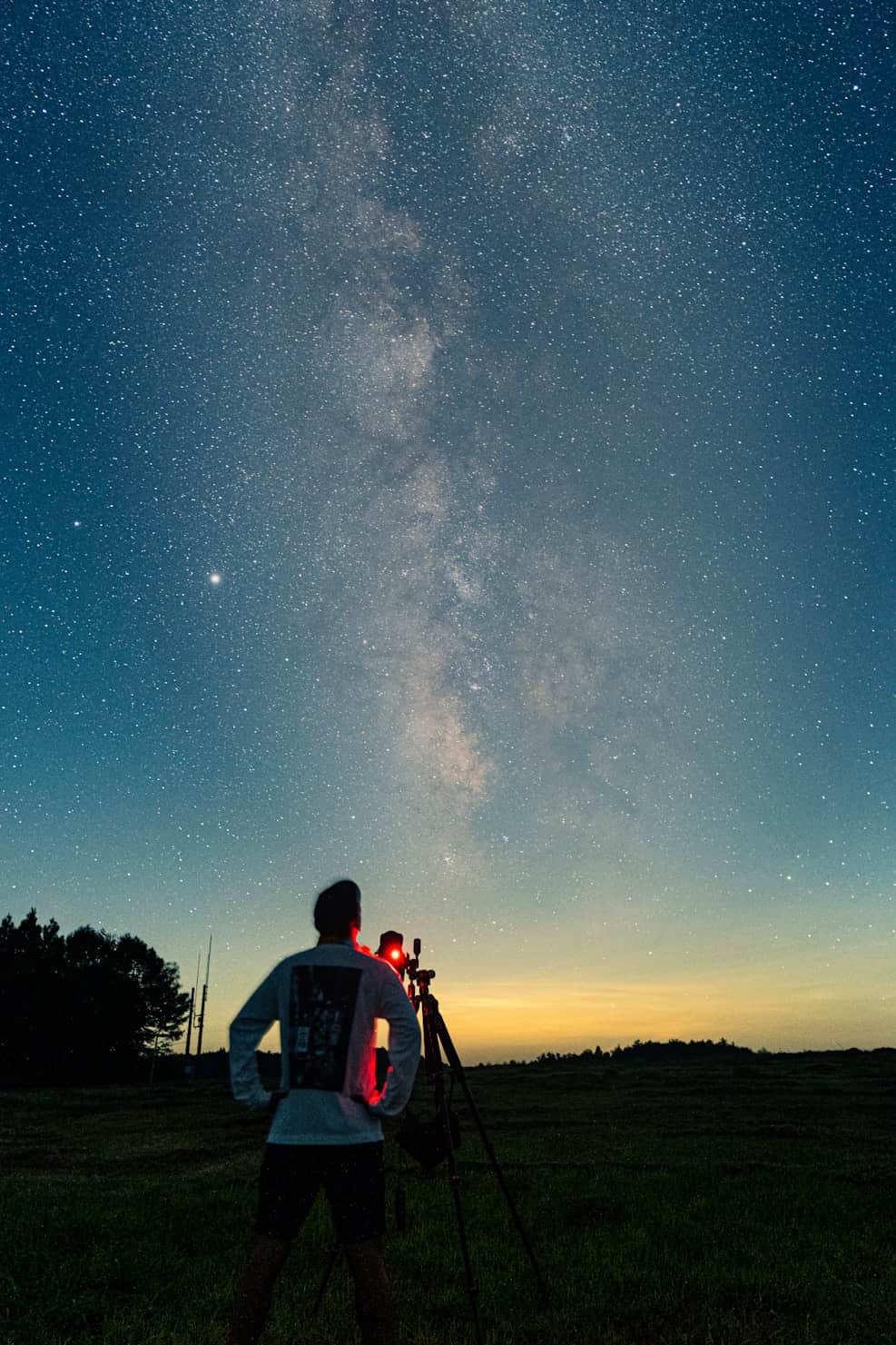
Input: A wide vertical night sky photo showing a dense band of the Milky Way's core rising from the horizon toward the top of the frame, dusted with countless faint stars against a dark blue sky that fades to orange near the horizon glow. A noticeably bright point of light sits to the left of the band, well above the horizon. In the foreground, a person in a light long-sleeve shirt stands in a field beside a camera on a tripod with a small red light attached, with a treeline at the bottom left.
- Milky Way detail80%
- Star sharpness72%
- Noise control70%
- Sky darkness58%
What's in frame: The dense, dusty band running through the upper two-thirds of the image is the core of the Milky Way, our own galaxy seen edge-on from within it. The mottled texture comes from countless individual stars blending together along with dark dust lanes that block light from stars behind them.
Bright object: The single bright point of light well above the horizon and off to the side of the galactic band is almost certainly a planet rather than a star. Its steady, non-twinkling brightness compared to surrounding stars is the giveaway; When the Milky Way core is up, Jupiter or Saturn are the usual candidates; Venus is possible if the shot was taken near dusk or dawn. Confirming which one requires knowing your location and the date and time of capture.
Foreground: A person and a camera on a tripod stand in the field, with a small red light on the gear. Red light is standard for astrophotography because it preserves night vision better than white light while adjusting settings.
Image quality: The core shows good dust-lane detail and the sky is fairly clean for a single wide frame. Stars look like points at this size; check the corners at full resolution for trailing or lens coma, which are common in untracked wide shots. The orange horizon glow (twilight or light pollution) brightens the bottom of the frame and reduces contrast there.
Recommendation: If the corners show trailing, shorten the exposure or use a tracking mount; stacking several frames would cut noise in the dark sky.
How it works
- 1
Upload your telescope or night sky photo
Wide field shots of the Milky Way, planetary shots, and close-ups through an eyepiece or camera all work.
- 2
The AI reads star patterns and object shapes
It looks at star density, color, brightness, any visible glow or structure, and how objects are positioned relative to each other.
- 3
Add your capture details in the details box
Mention your location, date, or equipment if you have it; that context helps narrow which objects were realistically visible.
- 4
Get object identification and a quality read
The result names the most likely objects in frame, explains what makes them identifiable, and notes focus, tracking, or noise issues in the shot.
Use cases
Naming what you actually caught
You took a shot of the night sky on a trip or from your backyard and want to know if that smudge is a nebula, a satellite trail, or just a lens artifact.
Checking a telescope purchase or first light photo
New telescope owners upload their first attempts to confirm what they're seeing and get a read on focus and tracking before adjusting their setup.
Building an observing log
Amateur astronomers photograph a session's targets and use the analysis to double-check object identification before logging it.
Teaching kids or classes about the night sky
Educators use a captured photo as a jumping-off point to explain what a galaxy, planet, or star cluster actually looks like versus how it's often drawn.
Deciding whether a shot is worth editing further
Before spending time on post-processing, check whether the image quality and object identification make the shot worth the effort.
Tips for better results
- Include as much of the sky as your photo actually captured; cropping tightly can remove the star patterns the analysis uses for identification.
- Note your rough location and the date and time in the details box, since the visible planets and constellations change through the year.
- If you used a telescope, mention the eyepiece or camera setup, since magnification changes what a given object is expected to look like.
- Shots with visible star trailing or heavy noise can still be identified, but expect a less confident read on faint details.
- For deep sky objects like nebulae, a stacked or longer-exposure image will show more structure than a single quick frame.
Frequently asked questions
Do I need an actual telescope, or does a phone or camera photo work?
Phone and camera shots of the night sky work fine, including wide field Milky Way photos. A telescope isn't required, though close-up shots through one can reveal more detail on individual objects.
Can it tell me exactly which planet or star I photographed?
It can narrow things down using brightness, color, and position, but pinning down an exact object with certainty usually needs your location and the date and time of capture, which you can add in the details box.
Will it explain why my photo looks blurry or noisy?
Yes. It notes likely causes like tracking drift, high ISO noise, or focus issues, and suggests what to adjust for a cleaner result next time.
Can it identify a satellite or airplane trail versus a real astronomical object?
It looks at the shape and straightness of trails to flag likely satellites, planes, or meteors versus stars and deep sky objects, though a very short or faint streak can be ambiguous.
Does it work on daytime astronomy photos, like the sun or a solar eclipse?
It's built for night sky and deep sky images. Daytime solar photography involves different filters and safety considerations that fall outside what this tool covers.
Can it identify constellations in my photo?
Yes, when enough of a recognizable star pattern is visible and not obscured by clouds, foreground objects, or a narrow crop.
Plans start at $9 a month. See pricing