Blurry Image Classifier
Upload a photo and get a clear read on its sharpness, blur type, and whether it's worth keeping.
What the Blurry Image Classifier does
A photo looks fine on a phone screen and then falls apart the moment you zoom in or print it, and you're left guessing whether it's actually usable. This tool looks at focus, edge definition, and motion patterns across the frame to tell you whether an image is sharp, slightly soft, or genuinely blurry, and what kind of blur caused it. It separates out-of-focus shots from motion blur and camera shake, flags which parts of the frame are actually sharp when only part of the image is in focus, and tells you plainly whether the shot is salvageable or better retaken.
See a sample result
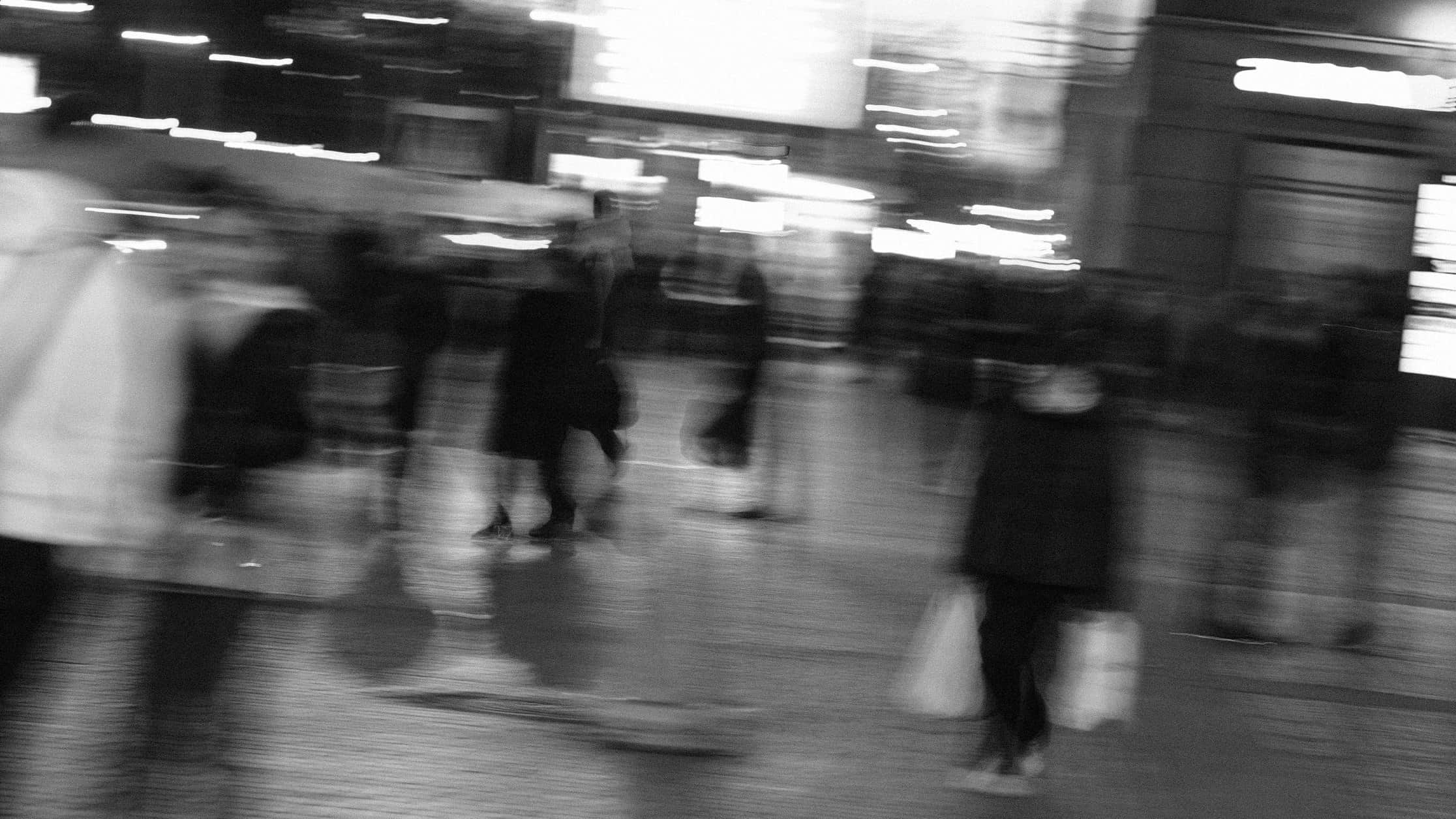
Input: A black and white photo of a busy indoor space at night, taken with heavy motion blur. Streaks of light run horizontally across illuminated signs and windows in the background. Several people are visible only as smeared, ghosted silhouettes walking through the frame, one carrying shopping bags, with no sharp edges anywhere in the shot.
- Sharp3%
- Slight blur7%
- Severe motion blur90%
Overall assessment: Severely blurred. No region of this image holds sharp, well-defined edges, which points to camera movement during a long exposure rather than a missed focus point on a single subject.
Blur type: Motion blur, and specifically camera shake rather than subject movement alone. The light streaks running horizontally across the whole frame, including background signage that would otherwise be static, show the camera itself moved during the exposure. If only the walking figures were smeared while the lights stayed sharp, that would point to subject motion instead.
Severity: Severe. There's no sharp anchor point anywhere in the frame, including the background architecture, which usually stays crisp even in blurred street photography.
Sharp vs. soft areas: None of the frame holds critical sharpness. The silhouettes are identifiable as people by shape and position, but no facial or clothing detail survives.
Likely cause: A shutter speed too slow for handheld shooting in low light, likely without a tripod or image stabilization, combined with camera movement during the exposure.
Usability: As a documentary or artistic long-exposure shot, this could work as intentional motion blur. As a shot meant to capture a specific person or moment sharply, it isn't salvageable, and a retake with a faster shutter speed or a tripod is the only fix.
How it works
- 1
Upload the photo you're unsure about
Full-resolution uploads give the most accurate read; a heavily compressed or resized copy can look softer than the original.
- 2
The AI examines edges, focus, and motion patterns
It checks how sharply edges and fine detail are defined across the frame, and whether blur follows a directional streak (motion) or an even softness (out of focus).
- 3
Add context in the details box if you have it
Mention what the photo was meant to show, or whether some blur is intentional (like a background), so the read matches your actual goal.
- 4
Get a sharpness read and a usability call
The result names the blur type and severity, points out which areas are sharp versus soft, and tells you whether the image is worth keeping or should be retaken.
Use cases
Culling a photo shoot before editing
You shot dozens of frames and want to quickly weed out the ones too blurry to edit before spending time on the rest.
Checking a product photo before listing it
Sellers upload listing photos to confirm sharpness before customers see a blurry image that hurts trust in the listing.
Deciding whether to retake a shot
You're not sure if a photo from an event or trip is sharp enough to print or share, and want a clear answer before the moment is gone.
Diagnosing a camera or lens issue
Recurring blur across multiple photos can point to a focus or stabilization problem worth checking on your camera or phone.
Confirming intentional blur reads as intended
Photographers using motion blur or shallow depth of field creatively can check that the effect reads clearly rather than just looking like a mistake.
Tips for better results
- Upload the original file rather than a screenshot or a heavily compressed copy, since compression can introduce its own softness.
- If part of the image is meant to be blurry, like a background, mention it in the details box so the read reflects your intent.
- Check photos at full size before uploading; blur that's invisible in a thumbnail often shows up clearly at full resolution.
- For portraits, a slightly soft background with a sharp subject is normal depth of field, not a flaw worth retaking.
- If you get a severe blur result on multiple shots from the same session, check your shutter speed or stabilization settings before shooting more.
Frequently asked questions
Can it tell me exactly why a photo is blurry?
It identifies the likely cause, such as camera shake, subject motion, or missed focus, based on how the blur pattern behaves across the frame.
Will it work on photos that are only slightly soft, not obviously blurry?
Yes. It rates blur severity on a range from sharp to severe, so subtle softness gets flagged too, not just extreme cases.
Can it tell the difference between intentional background blur and a mistake?
It looks at whether sharp and soft areas follow a normal depth of field pattern versus an even blur across the whole frame, and you can add context in the details box to clarify your intent.
Does it work on scanned or older photos?
Yes, though scan quality and print softness in older photos can affect the read, so mention if you're uploading a scan rather than a digital original.
Will a photo that scores as sharp always print well?
A sharp score means good focus and edge definition in the file you uploaded; print quality also depends on resolution and print size, which the tool doesn't measure.
Can it check multiple photos in one run?
Each run analyzes one image. Upload photos one at a time if you're comparing several from the same shoot.
Plans start at $9 a month. See pricing