What Brand Is This? AI Brand Identifier
Upload a photo of a logo, product or package and see which brand the AI thinks it belongs to, and why.
What the Brand Identifier does
You spot a logo on a hotel amenity kit, a jacket tag, or a product box, and you want to know whose it is. Upload a photo and the AI works out which company it's most likely from, based on the logo mark, colors, typography and any visible text. Instead of a single guess, it returns a probability breakdown, so if two brands use similar marks or color schemes, you'll see both listed with their relative likelihood. It's built for spotting brands on packaging, apparel, signage and products where the logo is visible but you don't recognize it outright.
See a sample result
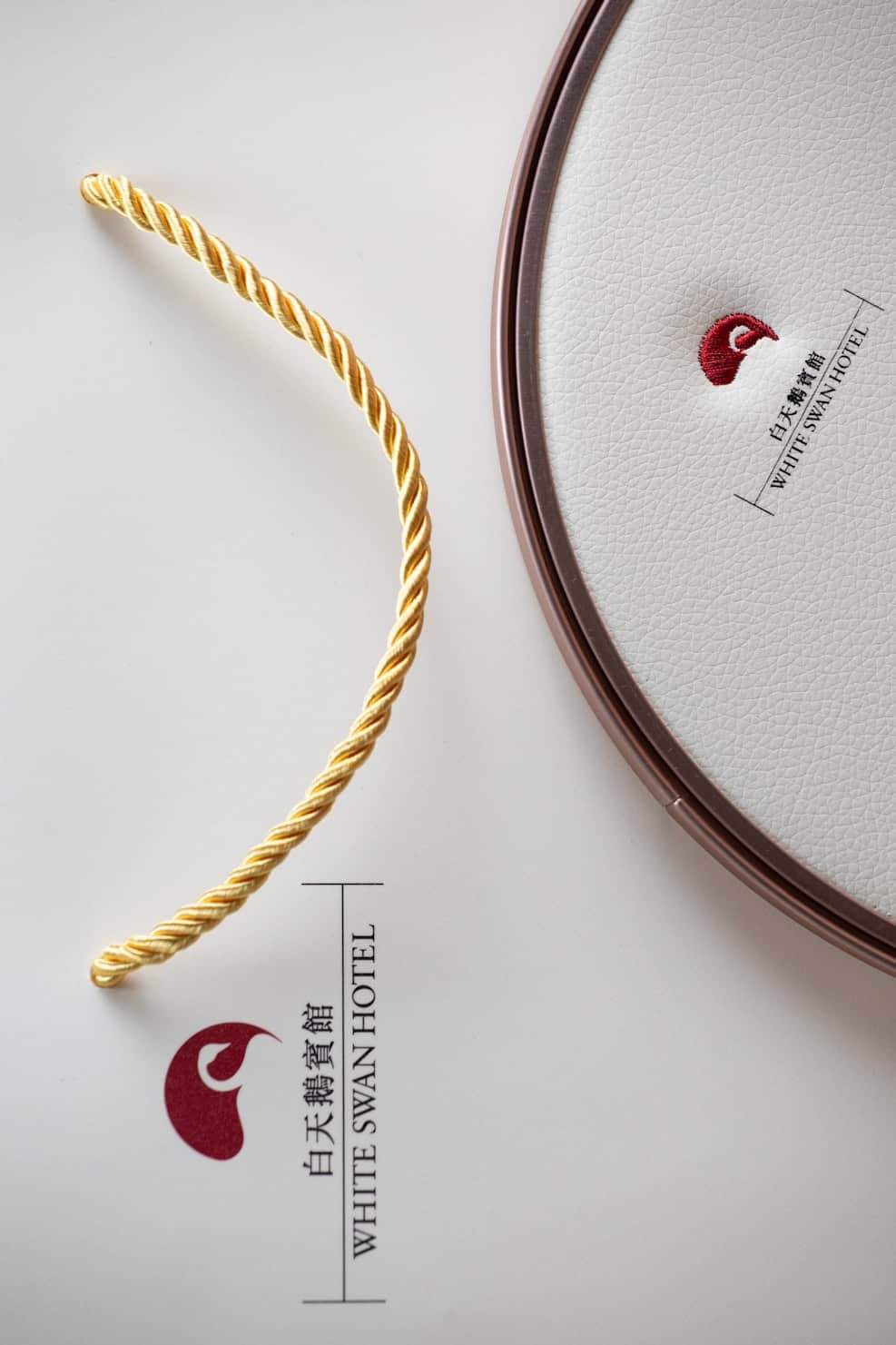
Input: Two items on a white surface: a twisted gold cord, and part of a round box lid with a white leather-grain top and a copper-colored rim. Both the lid and a printed card beside the cord carry a small red emblem shaped like an abstract swan's head, with "WHITE SWAN HOTEL" in English and the hotel's name in Chinese characters.
- White Swan Hotel95%
- Other swan-emblem hotel brand5%
Brand: White Swan Hotel (95%)
The name is printed in both English and Chinese right next to the mark, which settles it. White Swan Hotel is a landmark hotel on Shamian Island in Guangzhou, China, and the red abstract swan-head emblem is its logo.
Product: Likely hotel gift or amenity packaging. The leather-grain round box, copper-toned rim and gold cord suggest a presentation box for guests or a hotel shop item, such as tea or mooncakes, but the contents aren't visible.
Other possibility: Another hospitality brand with a swan emblem (5%). Several hotels use swans, but the printed name makes that unlikely here.
Brand elements noted: a single deep red for the emblem, classic serif capitals for the English name, Chinese characters set beside it, and a lot of white space, a quiet, premium look.
How it works
- 1
Upload a photo showing the logo clearly
Get the full logo or wordmark in frame, in focus, with as little glare or shadow across it as possible.
- 2
Add context in the details box if useful
If you know the product category, like "this was on a hotel gift box" or "found on a jacket zipper," adding that note can sharpen the read.
- 3
The AI reads the mark, colors and text
It examines the logo shape, color palette, typography style, and any visible brand name or product text, then names the brands it associates with those cues, drawing on the model's general knowledge rather than a logo database.
- 4
Get a ranked list of likely brands
You get the most probable brand along with runner-up possibilities, each with a percentage, plus context about the brand and product category when it can identify one confidently.
Use cases
Identifying a logo on packaging or a gift box
You've got a nicely branded box or bag with no obvious explanation, like something left in a hotel room or picked up on a trip, and want to know whose it is.
Spotting a brand on clothing or accessories
A logo on a zipper pull, button, or label that you don't recognize but want to place before buying something similar.
Checking a product photo before listing it for resale
Sellers listing secondhand goods can confirm the likely brand from a product photo before writing a listing description.
Researching a brand you spotted while traveling
A logo on a storefront, package, or hotel amenity abroad that isn't familiar and doesn't translate easily from the text alone.
Tips for better results
- Fill the frame with the logo itself rather than a wide shot of the whole object.
- Shoot straight-on to avoid the perspective distortion that curved or embossed logos pick up at an angle.
- Good, even lighting helps more than a high-end camera; avoid strong glare across a glossy or embroidered logo.
- Include any visible brand text or wordmark, not just the icon, since text narrows the match significantly.
- If the first result feels off, add a note about where you found the item in the details box and try again.
Limitations
This tool gives its best visual match based on the logo, colors and text it can see, not a verified trademark lookup. It can be wrong when brands share similar marks or color schemes, and it isn't a way to confirm whether a product is genuine or counterfeit. For anything involving authenticity, purchase decisions, or legal use of a brand's mark, check with the brand or an authorized retailer directly.
Frequently asked questions
Can it tell me if a product is a genuine or a fake?
No. It identifies which brand a logo most likely belongs to based on appearance, but it can't verify authenticity, serial numbers, or manufacturing details, so it shouldn't be used to judge whether an item is counterfeit.
What if it lists more than one possible brand?
That happens when the logo, colors or style are shared or similar across brands. The percentages reflect how confident the AI is in each option, with the top one being the most likely match.
Does it work on partial or damaged logos?
It can attempt a match on a partial logo, but accuracy drops the less of the mark is visible. A clear, complete shot of the logo gives the most reliable result.
Can it identify small or lesser-known brands?
It's more reliable with brands that have a distinctive, recognizable mark or wordmark. Very small or regional brands with generic-looking logos are harder to pin down precisely.
Does it recognize brands from any country?
It can read logos and text in multiple languages and scripts, and will note regional or international variations of a brand's design when it spots them.
Will it tell me the history of the brand?
When it identifies a brand with reasonable confidence, it adds brief context about the company and product category alongside the identification.
Plans start at $9 a month. See pricing