What the Cheerleader Photo Generator does
Game-day spirit photos have a specific look: bright team colors, mid-jump energy, pom-poms catching the light, and a gym or stadium backdrop behind it all. Upload a portrait and the AI restyles it into that cheer aesthetic, adding a uniform, athletic pose, and the kind of high-energy sports lighting you'd see courtside. It's meant for cheer squad members wanting a themed profile photo, fans building spirit-week content, or anyone who wants a fun, athletic-looking portrait without renting a uniform or a gym. It's for adults only, using your own photo or one you have permission to use.
See a sample result
Input: A casual daylight photo of a young adult woman with long dark hair in a ponytail, standing with arms at her sides in a plain T-shirt and jeans, facing the camera. The result looks similar to the image at the top of this page.
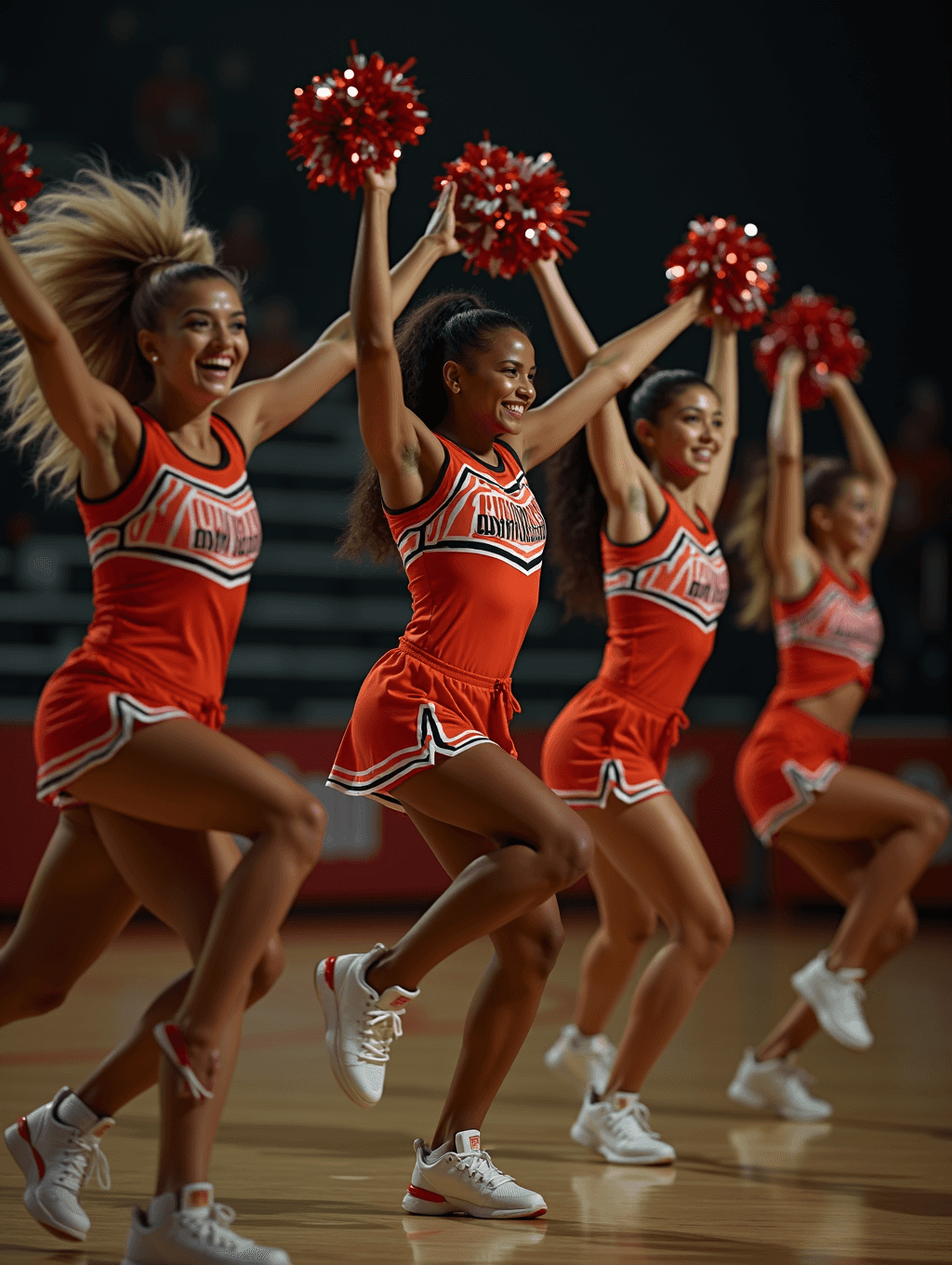
The result puts her in an orange-red cheer uniform (sleeveless top with a chevron chest panel, pleated skirt with white trim) and white sneakers, pom-poms raised overhead in sparkly red, mid-step on a polished gym floor with dark bleachers behind. The flat daylight becomes bright arena lighting, and the hair swings as if caught in motion.
What the AI added on its own: three more cheerleaders in matching uniforms, so the single portrait became a squad shot, and she is no longer the only (or clearly the main) face. The lettering across the uniforms is garbled pseudo text, not a real team name. If you want a solo portrait, write "one person only" in the instruction, put any team name you want in quotes, and check the face, hands and lettering before sharing.
How it works
- 1
Upload a clear portrait of an adult
A front-facing or three-quarter shot with your face, arms, and upper body visible gives the model room to add a uniform and pose convincingly. Use your own photo or one you have clear permission to edit.
- 2
Edit the instruction for a specific look
The default targets an energetic jump pose with pom-poms and a team uniform, but the instruction is editable, so you can ask for a specific uniform color, a standing pose instead of a jump, or a stadium background instead of a gym.
- 3
The model adds the uniform, pose, and setting
It restyles clothing into a cheer uniform, adjusts the pose toward a dynamic, athletic stance, adds pom-poms if requested, and shifts lighting toward the bright, high-contrast look common in sports photography.
- 4
Download the result
You get back one cheer-styled image. Check the face, hands and any uniform lettering before you share it, since the AI can add people or invent text.
Use cases
Spirit week or game day profile photo
Swap a regular photo for a cheer-themed one to show team spirit on social media during a season or spirit week.
Cheer squad content and team pages
Create consistent, energetic-looking portraits for a squad roster page or promotional content without a full uniform photo shoot.
Themed party or costume preview
See how a cheer look might read on you before committing to an actual costume for a themed event.
Fan content for a favorite team
Generate a fan-style cheer photo in a team's colors for personal use or fan pages, separate from any official team branding.
Tips for better results
- Use a photo with your arms and upper body visible so the model has room to add pom-poms and adjust the pose.
- Name a specific uniform color or team color scheme in the instruction if you want something other than the default.
- Ask for a standing or sideline pose instead of a jump if you prefer a calmer result.
- Plain, evenly lit source photos let the gym or stadium lighting effect read more clearly than busy backgrounds.
- Only use your own photo or one from someone who has agreed to it; this tool is for adults, not children.
Limitations
This is a generative restyling, not a simple filter, so it changes clothing, pose, and background well beyond the original photo and may shift small details like facial features or hands while it works. It's intended for adults only and for non-sexualized, spirited team and fan imagery; don't upload photos of minors or use it to generate sexualized content. Use your own photo or one you have clear permission to edit, and check the result before sharing it anywhere your likeness matters.
Frequently asked questions
Can I use a photo of someone else?
Only if you have their clear permission. Don't upload a photo of someone, especially a minor, without their consent, since the tool changes their appearance in a shared result.
Can I choose specific team colors?
Yes, edit the instruction and name the colors or team you want reflected in the uniform. The default uses a generic energetic color scheme if you don't specify one.
Will it keep my face looking like me?
Often the overall look carries over, but this is a generative edit rather than a filter. The pose and body are redrawn, the face can drift, and the AI may even add other squad members. Ask for one person only and compare the face with your original.
Is this meant to look like a specific real team's uniform?
No, it generates a generic cheer-style uniform based on your instruction. It isn't designed to reproduce an official team's exact licensed uniform or logos.
Can I upload more than one photo?
You can upload several, but they are combined into one result, not processed as a batch. Uploading two friends can give a two-person shot; to restyle separate portraits, run each one on its own. Each run uses credits.
Is this appropriate for kids' team photos?
No. This generator is built for adult use only and isn't intended for photos of minors.
Plans start at $9 a month. See pricing