Image to Prompt Generator
Upload an image and get a written prompt that describes its subject, style, and composition.
What the AI Image Prompt Generator does
You found an image somewhere, saved it, and now you want something in that style, but you don't know how to describe it in a way an image generator understands. Image to prompt is that translation, done for you. Upload the image, and it breaks down the subject, lighting, color palette, composition, and artistic technique into a written prompt, then adapts that prompt into versions built for Midjourney, DALL-E, and Stable Diffusion specifically, since each one reads instructions a little differently. You get a prompt you can paste directly into whichever generator you use, plus a plain breakdown of what made the original image look the way it does.
See a sample result
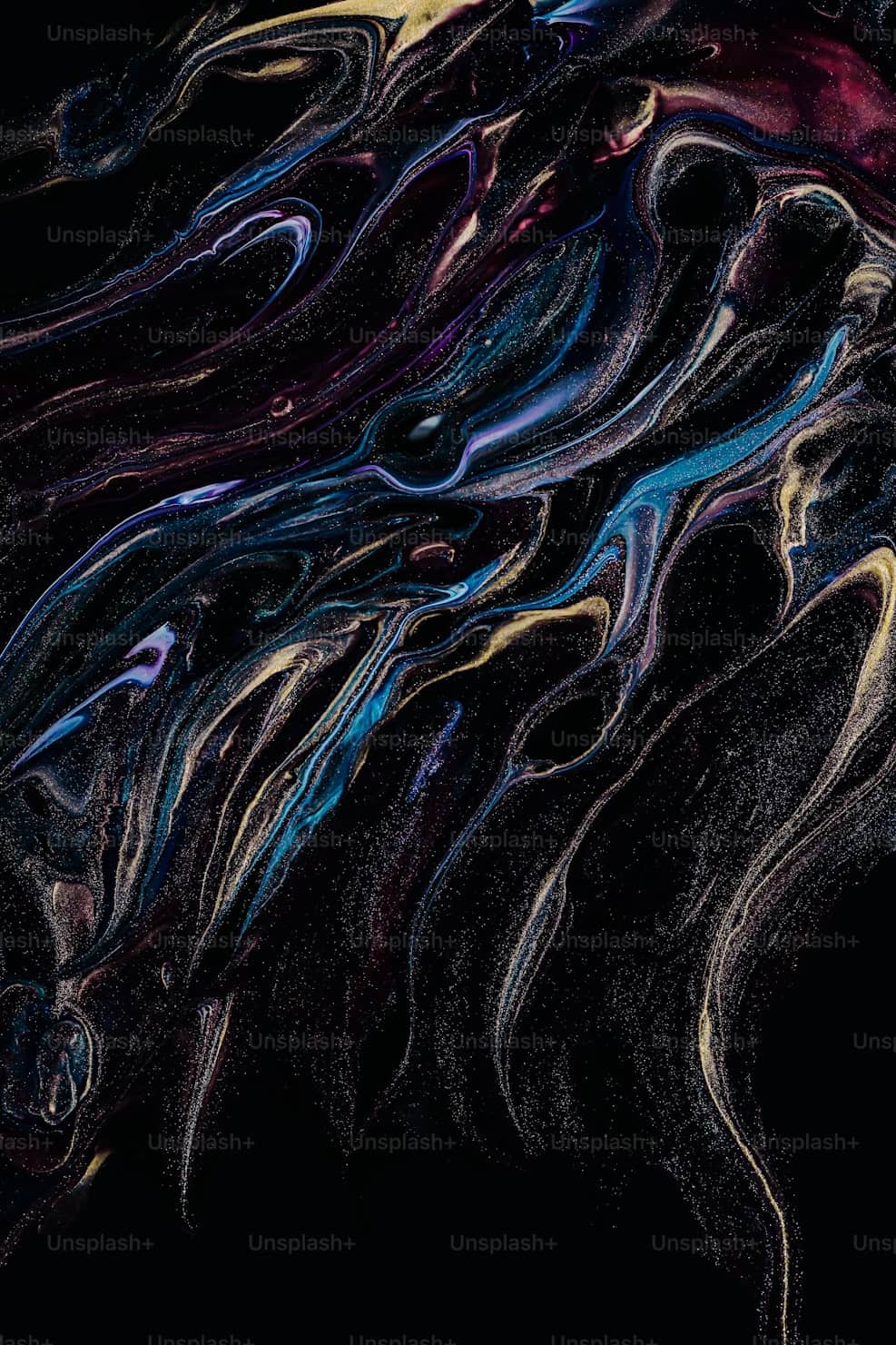
Input: A close-up abstract image of swirling paint or ink in deep black, with streaks of iridescent blue, purple, and gold catching the light, fine scattered specks throughout the frame, and a faint repeated stock-photo watermark across the whole image.
Universal Prompt: Macro abstract composition of fluid, marbled paint swirling across a deep black background, iridescent streaks of sapphire blue, violet, and warm gold catching soft directional light, fine glittering particles scattered throughout, high contrast, glossy liquid texture, dramatic close-up framing with no visible horizon or subject beyond the abstract forms.
Midjourney Version: macro abstract fluid art, black background, iridescent blue purple gold swirls, glossy liquid texture, glitter particles, dramatic lighting --ar 2:3 --stylize 250
DALL-E Version: A close-up abstract photograph of swirling marbled paint in black, blue, purple, and gold, with a glossy wet texture and scattered light-catching particles, dramatic and moody lighting.
Stable Diffusion Version: (abstract fluid art:1.3), black background, iridescent swirls, blue, purple, gold, glossy texture, macro, glitter particles, high detail, dramatic lighting. Negative prompt: flat colors, low detail, watermark, text.
Key Elements: subject (abstract fluid paint swirls), palette (black base with blue, purple, gold accents), texture (glossy, liquid, particulate), framing (tight macro crop, no defined subject edge). The repeated watermark text is not part of the look, so it was left out and added to the negative prompt instead.
How it works
- 1
Upload the reference image
Any image works: a photo, a piece of digital art, a screenshot of something you liked. The clearer the image, the more specific the resulting prompt.
- 2
The tool reads subject, style, and technical details
It separates what the image shows from how it's rendered: the subject and setting, the artistic style or medium, the lighting and color mood, and technical framing like angle, depth of field, and composition.
- 3
A universal prompt gets written first
The description is assembled in the order most generators expect: subject, then setting, then style, then finer details, so it reads cleanly even before any platform-specific tags are added.
- 4
You get platform versions and a breakdown
The universal prompt is adapted into a Midjourney version with parameters, a DALL-E version, and a Stable Diffusion version with quality tags, alongside a plain-language breakdown of the key visual elements.
Use cases
Recreating a style you found online
You saved an image with a look you like but no idea what words describe it. Turn it into a prompt and adapt it for whatever generator you actually use.
Building a consistent set of images
Generate a prompt from one image in a series, then adjust small details in the wording to produce more images that share the same style and mood.
Learning how to write better prompts
Reading the breakdown of subject, style, lighting, and composition terms is a fast way to pick up the vocabulary that actually moves an image generator's output.
Moving a project between generators
If you started an image in one tool and want to continue it in another, the platform-specific versions save you from rewriting the prompt from scratch each time.
Briefing a designer or another AI tool
A structured, detailed prompt communicates a visual reference more precisely than 'make it look like this' when you're handing the idea off to someone else.
Tips for better results
- Use a high-resolution image if you have one; compression artifacts and heavy filters can get mistaken for intentional style choices.
- If the generated prompt is close but not exact, try swapping one or two of its style words rather than starting over from scratch.
- Crop the image to the part you actually want a prompt for; a wide photo with several unrelated elements produces a busier, less focused prompt.
- Test the Midjourney and Stable Diffusion versions separately even if you only need one, since comparing them often reveals which specific words are doing the most work.
- Save prompts that work well for you; small wording patterns that produce a look you like are usually reusable on your next image.
Frequently asked questions
Which image generators does the prompt work with?
You get a universal prompt plus versions written specifically for Midjourney, DALL-E, and Stable Diffusion, since each platform reads parameters and phrasing a little differently. The universal version is a reasonable starting point for other generators too.
Will the generated image look exactly like my uploaded photo?
No. A prompt describes a look, style, and composition in words, and different image generators interpret the same words differently. Expect a similar mood and style rather than a pixel-for-pixel match.
Can I upload a photo of a person to get a prompt?
You can, and the tool will describe pose, styling, and setting in general terms, but it focuses on style and composition rather than producing a likeness someone could use to recreate a specific person's face.
Why does the prompt include camera and lighting terms I didn't expect?
Terms like depth of field, lighting direction, or lens style describe the technical look of the image, not just the subject, and including them helps a generator match that same feel more closely.
Can I edit the prompt after it's generated?
Yes, the prompt is plain text meant to be copied and adjusted. Swap out colors, add or remove style words, or shorten it for a generator with a tighter character limit.
Does it work on screenshots or low-quality images?
It can produce a prompt from most images, but a blurry or heavily compressed screenshot gives it less to describe accurately, so the result may be more generic.
Plans start at $9 a month. See pricing