AI Political Cartoon Generator
Upload a photo and get back a hand-inked, editorial-cartoon-style illustration built for satire, not real portraits.
What the AI Political Cartoon Generator does
Editorial cartoons work by exaggerating: a bigger head, a sharper grin, bold ink lines instead of a photo's soft detail. This tool applies that treatment to a photo, redrawing it with heavy black outlines, cross-hatched or flat satirical shading, stretched caricature proportions, and the slightly rough texture of a hand-drawn newspaper panel. It's meant for playful, clearly satirical illustration, ideas and public figures rendered as cartoons, not realistic portraits or content that targets a specific private person unfairly. If you're making a satirical image for a blog, a presentation, or a social post, this gives you the visual language of an editorial page without a pen or a tablet.
See a sample result
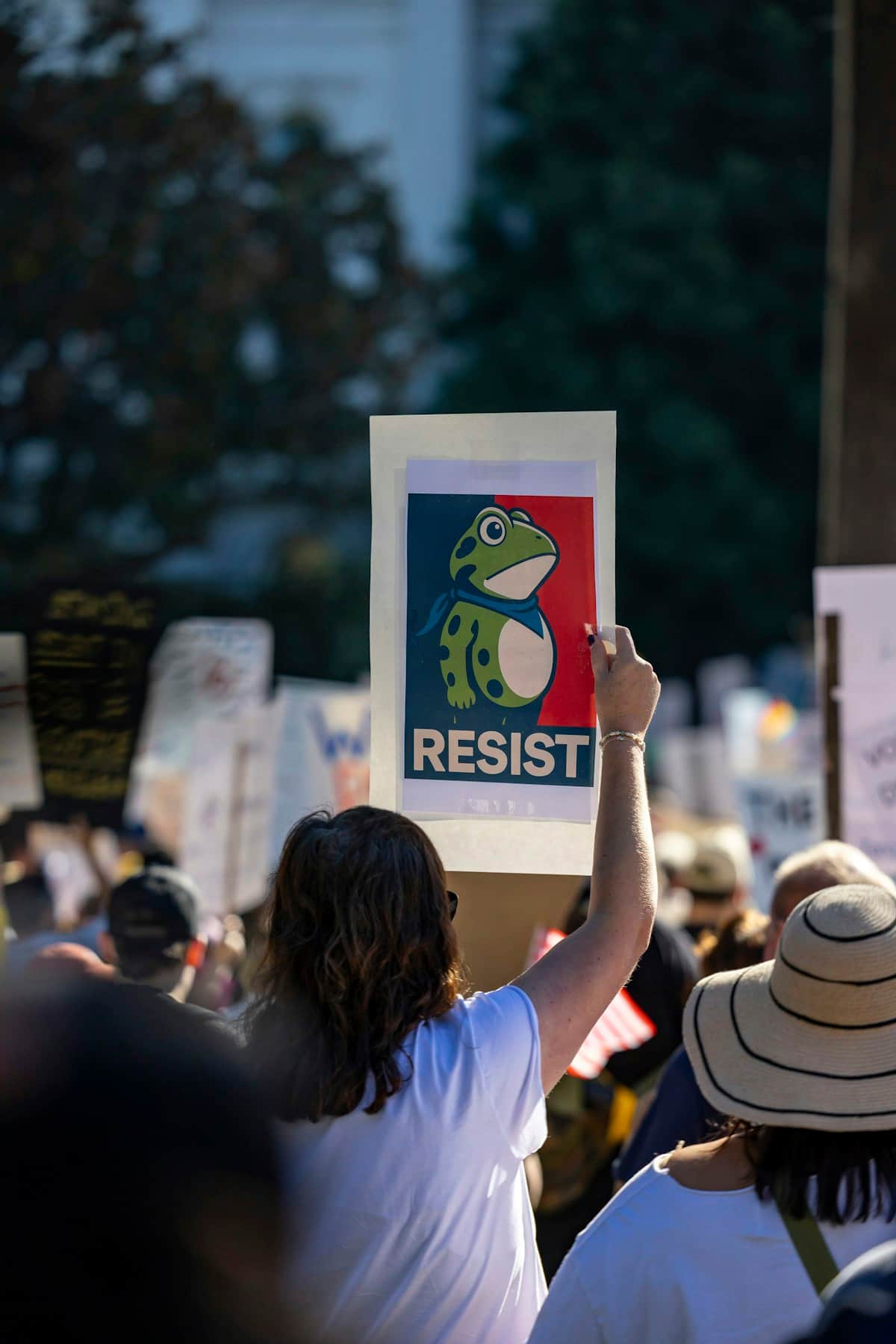
Input: A typical crowd photo taken from behind a group of protesters holding signs, with one person in a plain T-shirt raising a poster above their head toward an open street or plaza. The result looks similar to the image at the top of this page.
Style applied: The scene is redrawn as a bold editorial-cartoon panel from behind the crowd. Heavy black ink outlines trace the raised poster and the people around it, with flat, poster-style color blocking instead of photographic shading.
Focal point: The raised sign becomes the visual center, redrawn as a simplified cartoon graphic, a stylized character on a bold two-color background with short, blocky text, rather than a photographic image.
Crowd treatment: The people in front are simplified into flat silhouettes and loose figures, keeping the focus on the raised poster rather than any one identifiable face.
Texture and framing: The linework has a slightly rough, hand-inked quality rather than a clean digital look, matching a printed protest-poster or newspaper-cartoon texture.
What to check: If the poster includes text, check the spelling before publishing, since the model can misspell added words. The result satirizes a generic protest scene and its message, not a specific real, identifiable private person.
How it works
- 1
Upload a photo with a clear face or scene
A well-lit photo where the subject's expression and pose are visible gives the model the most to exaggerate. Group scenes work too, but a single clear subject reads more strongly as a cartoon.
- 2
Describe the exaggeration you want
Name a specific expression, gesture, or prop in the instruction, like a raised eyebrow, a podium, or an oversized pen, and the model will build the caricature around it.
- 3
The model redraws it in editorial-cartoon style
It applies bold black ink outlines, cross-hatching or flat satirical shading, exaggerated but good-natured proportions, and a rough, hand-drawn newspaper texture, with room left for a short caption banner if there's space.
- 4
Download the finished illustration
You get one cartoon-style image back. Check any caption text for spelling, since the model can misspell words it adds on its own.
Use cases
Satirical blog or newsletter illustration
A writer covering a public debate or policy story wants a quick editorial-cartoon-style image to run alongside the piece instead of a stock photo.
Lighthearted presentation or slide deck
Someone building a talk about public speaking, negotiation, or office politics wants a caricature-style illustration to keep a slide from feeling too dry.
Media literacy or classroom demos
A teacher shows students how editorial cartoons exaggerate expression and pose for effect, using a converted photo as a before-and-after example.
Satirical social posts about ideas, not people
A generic scene, like a crowded meeting room or a podium moment, gets the cartoon treatment to poke fun at a situation rather than any one identifiable person.
Tips for better results
- Use a photo with a clear, well-lit expression; subtle expressions don't exaggerate as distinctly in the final cartoon.
- Name the pose, gesture, or prop you want emphasized in the instruction, like a podium, a clipboard, or a pointed finger.
- Ask for a caption banner in the instruction if you want space for text, and double-check the spelling once it's generated.
- Keep the intent playful and about a general scene, situation, or public role rather than targeting a specific private individual.
- Try a few different instructions if the first exaggeration feels too mild or too extreme for what you need.
Limitations
This tool is meant for playful, clearly satirical illustration of ideas, scenes, and public roles, not for demeaning or defamatory content about identifiable private individuals, and it's instructed not to fabricate a caption that implies a real person said or did something specific. Don't ask it to. It's a generative redraw, so it can add or misspell caption text, change small facial or background details, and take creative liberties with proportions. Treat every result as a cartoon illustration, not a factual or documentary image, and don't present it as a real photo or a real statement by anyone.
Frequently asked questions
Can I upload a photo of a real public figure?
Caricaturing public figures is the core of the editorial-cartoon tradition, and you can try it. The tool is instructed to keep the exaggeration good-natured and not to invent things a real person said or did, so it may soften or decline a request that crosses that line. Private individuals are off limits for mocking content.
Will it add a caption automatically?
It may add a short caption banner on its own when there's room. To control the wording, put the exact text in quotes in the instruction, or ask for no caption, and always check the spelling before you use it.
Can I control which features get exaggerated?
Yes, name a specific expression, gesture, or prop in the instruction, like a raised eyebrow or a podium, and the model will build the caricature around it.
Does it work on group photos or just single portraits?
It works on group scenes, but a single, clearly visible subject with a strong expression converts into a more effective, readable cartoon.
Is this the same as a regular cartoon filter?
It's more specific: instead of a generic cartoon look, it aims for the bold ink outlines, cross-hatching, and exaggerated proportions of a classic newspaper editorial cartoon.
Can I use the result for a real publication?
You can use it for satirical or illustrative purposes, but treat it as a stylized cartoon, not a factual image, and don't present it as an authentic photo or a documented quote.
Plans start at $9 a month. See pricing