AI Police Officer Photo Generator
Upload a photo and get it restyled into a police-uniform look for costume, roleplay, or story art.
What the Police Officer Photo Generator does
Cosplay groups, fiction writers building a character reference, and people planning a uniform costume for Halloween or a themed event all end up wanting a quick preview of what they'd look like in a police uniform without buying or borrowing one first. This generator reworks a photo you upload into that look: uniform, badge, cap, and a law-enforcement setting behind you. It's built for costume planning, character art, and entertainment, not for producing anything that resembles a real credential, ID, or duty photo, and it should never be used to impersonate an actual officer.
See a sample result
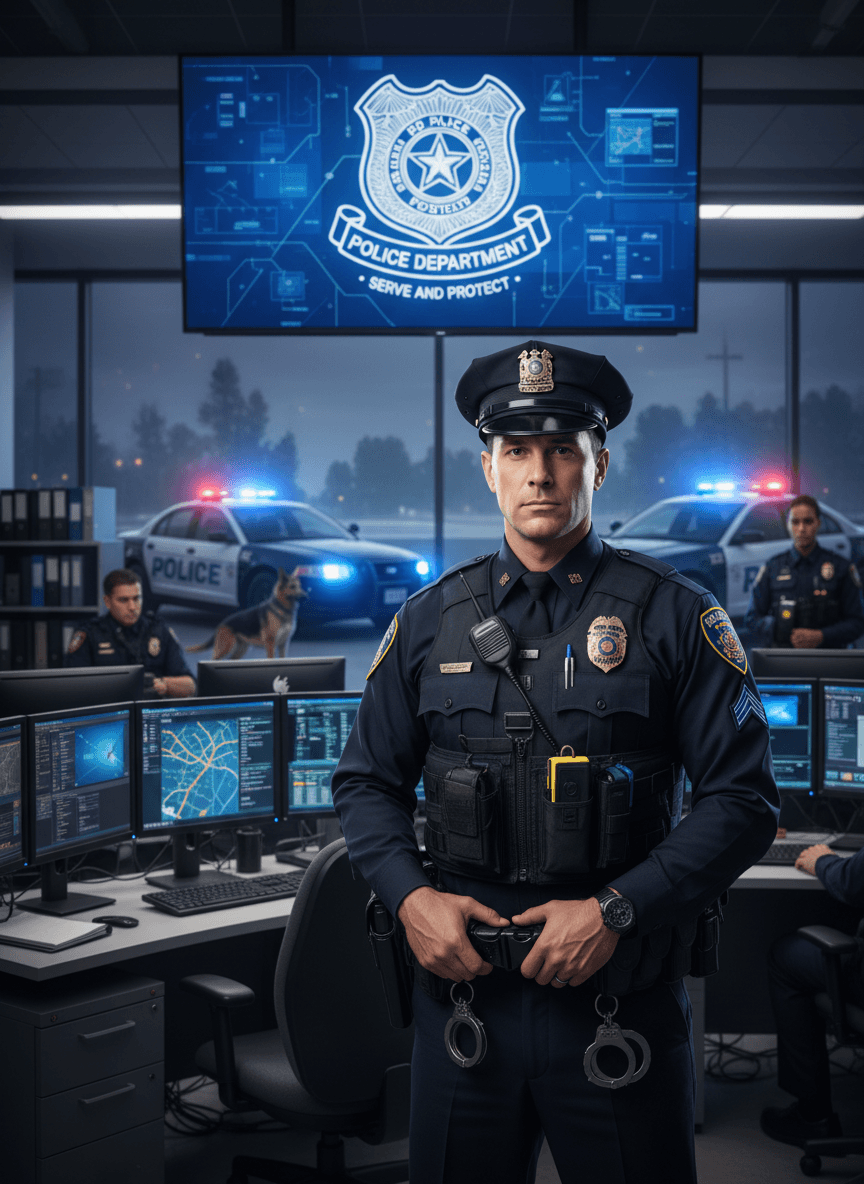
Input: A plain, well-lit photo of an adult man facing the camera in a t-shirt, taken indoors with no particular background. The result looks similar to the image at the top of this page.
The result shows the same person in a dark police uniform with a cap, badge, and a duty belt visible at the waist, standing in what looks like a station command room. A large screen behind them displays a fictional department badge design with the words 'Police Department' and 'Serve and Protect,' and through a window, two patrol cars with lit light bars and a police dog are visible outside, along with two other uniformed figures at desks. The badge design, department name, and patch details are all invented by the model and don't correspond to any real agency. The expression reads as neutral and composed rather than smiling. Because this is generative, treat every piece of text, the badge design, and the equipment layout as fictional rather than an accurate reference for real police gear.
How it works
- 1
Upload a clear, front-facing photo
A photo with your face and upper body visible in decent light gives the model the most to work with when it adds the uniform, cap, and badge details.
- 2
Edit the instruction if you want a specific look
The default gives a patrol-style uniform and a command-center backdrop, but the instruction is editable, so you can ask for a different rank insignia, a daytime street setting, or a plainer background.
- 3
The model adds uniform, gear, and setting
It replaces your clothing with a dark police-style uniform and cap, adds generic badge and equipment details, and generates a law-enforcement backdrop such as patrol vehicles, a station interior, or monitors.
- 4
Download the result and check the details
You get one styled image per run. Badge text, patches, and any signage are invented by the model, not copied from a real department, so check them before sharing anywhere they could be mistaken for genuine.
Use cases
Planning a Halloween or costume-party look
See roughly how a police-style costume might look on you before you buy or assemble one.
Character reference art for fiction or games
Generate a quick visual reference for a police-officer character in a story, screenplay, or tabletop campaign.
Roleplay or theater casting reference
Get a styled photo to help visualize how a performer might look in costume before rehearsal or a shoot.
Fan art or creative photo projects
Use it as a starting point for stylized, clearly fictional creative content rather than a realistic identity document.
Tips for better results
- Use a photo with your face and shoulders visible rather than a tight close-up crop.
- Ask for a specific setting in the instruction, such as a daytime street scene, if the command-room backdrop isn't what you need.
- Expect badge text, patches, and department names to be invented and often illegible up close; don't rely on them being accurate.
- Never present the result as a real credential, badge, or official identification in any context.
- If you need this for a genuine costume, use the result only as a visual reference, not as a printable badge or ID.
Limitations
This tool generates a fictional, costume-style image for entertainment, creative writing, and cosplay planning. It is not a real uniform, badge, or credential, and the department names, badge designs, and patches it produces are invented and don't represent any actual law enforcement agency. Never use a result from this tool to impersonate a police officer, to create a fake ID or badge, or in any context meant to deceive someone about your identity or authority; impersonating law enforcement is illegal in most places. Faces, insignia, and equipment details can also come out inaccurate or inconsistent, since this is a generative edit rather than a costume reference database.
Frequently asked questions
Can I use the result as a real police badge or ID?
No. The badge, department name, and patches are invented by the model and are not valid credentials. This tool is for costume and creative visualization only, never for impersonating an officer.
Is this legal to use for a costume?
Using a generated image to plan or preview a costume is generally fine, but wearing or presenting a police-style uniform to deceive someone about your authority is illegal in most places. Keep the use to entertainment.
Can I change the uniform style or setting?
Yes, the instruction is editable. You can ask for a different setting, a specific rank look, or a plainer background instead of the default command-room scene.
Will the badge and patches match a real department?
No, they're generated fictional designs. Treat any text or insignia in the result as decorative rather than accurate to any real agency.
Will my face stay recognizable in the result?
It usually keeps your general look, but this is a generative edit, so facial details can shift slightly. Review the result before sharing it.
Can I upload more than one photo?
Yes, but all the images you add feed into one generated result as references, and credits are charged per image. To compare source photos, run them one at a time.
Plans start at $9 a month. See pricing