What the Boudoir Photo Generator does
A real boudoir session means booking a studio, renting wardrobe, and paying for a photographer and a lighting setup you might use once. This tool gets you the same warm, intimate look starting from a photo you already have on your phone. Upload a portrait of yourself, edit the instruction if you want a certain color, fabric, or room setting, and the AI restyles the shot with soft lamp lighting, lace or silk lingerie, and a bedroom-style backdrop. By default the result is sensual and fairly revealing. It's for adults making a private keepsake or a gift, it isn't built for explicit nudity, and every run returns a single edited photo.
See a sample result
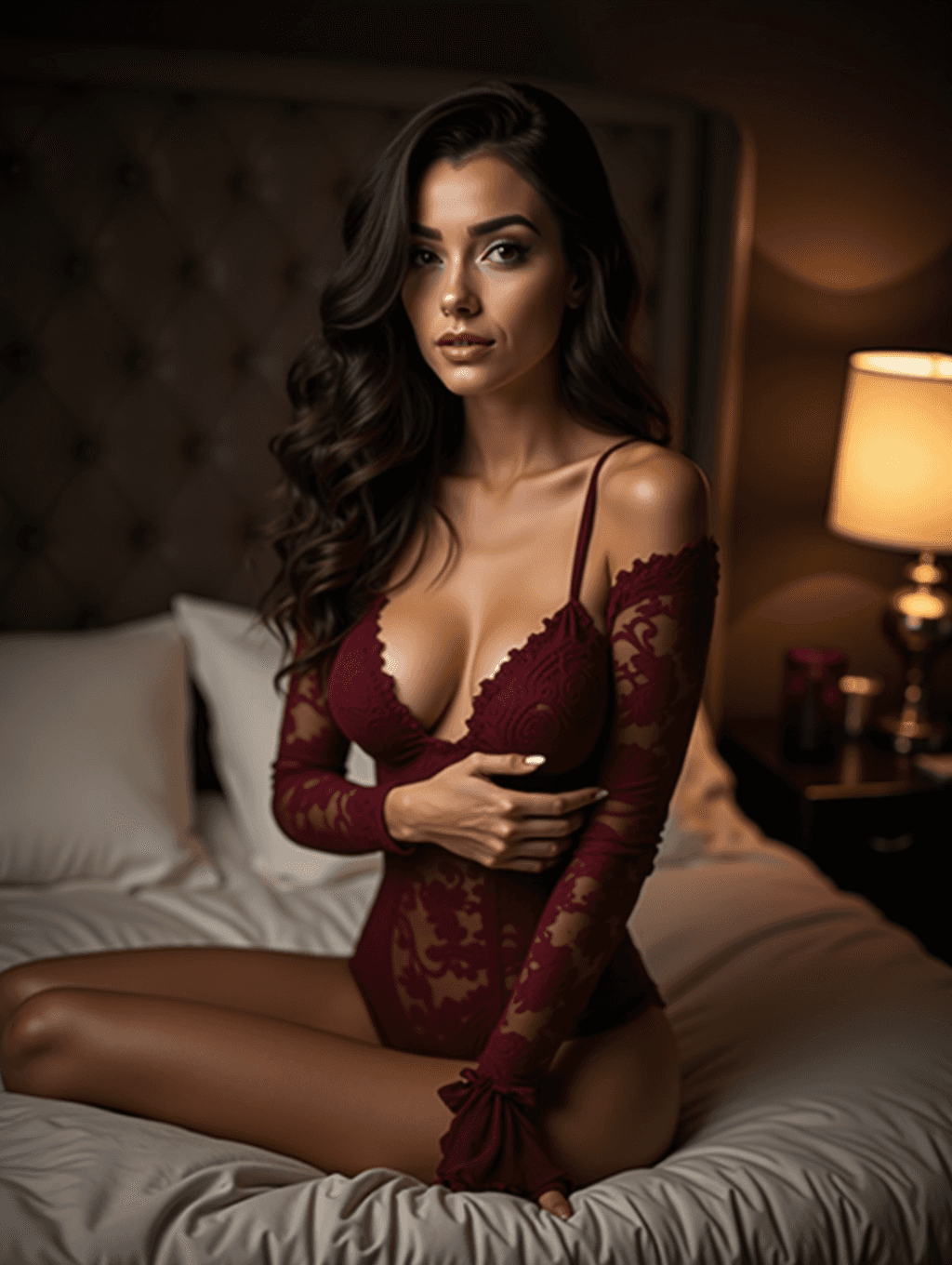
Input: A well-lit phone photo of a woman with long dark wavy hair, standing indoors in a T-shirt and jeans against a plain wall, with no particular pose. The result looks similar to the image at the top of this page.
Boudoir aesthetic result
The photo now sits in a dim bedroom with a single table lamp glowing on one side, the rest of the room falling into soft shadow. The pose has changed completely: she now kneels on a bed with one hand resting on her chest. The AI replaced the T-shirt and jeans with a burgundy lace bodysuit with a plunging neckline, one bare shoulder and sheer lace sleeves, which is more revealing than many people expect from the word "tasteful" in the default instruction.
Skin is smoothed to a glossy, magazine-style finish, makeup is added, hair is styled into long loose waves, and the body is reshaped toward an idealized figure. The overall mood reads as intimate and sensual. For something softer, ask for "a silk robe, covered shoulders" in the instruction.
Before saving this, check the hands (fingers can look slightly off in generated images), the lace pattern for repeats or smudging, and the face and body against your own photo, since both drift toward a generic ideal.
How it works
- 1
Start with a clear portrait
Upload a photo where your face and upper body are visible in even light. A phone selfie, a mirror photo, or a portrait a friend took all work, as long as it's not heavily cropped or blurry.
- 2
Describe the look you want
The instruction box is editable, so name a color, fabric, or setting if you have one in mind, like a champagne robe or a hotel room backdrop instead of a bedroom.
- 3
The AI restyles the scene
It relights the photo, adds boudoir-style wardrobe and staging, and blends the new styling with your pose and features, aiming for the elegant, sensual look boudoir photography is known for.
- 4
Check the result before you save it
Look closely at the face, hands, and any lace or patterned fabric. Generative edits can shift small details, so review the photo before you print or share it.
Use cases
A gift for a partner
Some people put together a small boudoir-style set as an anniversary or birthday gift, without booking or paying for a studio session.
A private keepsake
You can make a set of soft, flattering portraits for yourself to keep on your phone or print at home, using photos you already have.
A trial run before a real shoot
If you're deciding whether to book a boudoir photographer, this gives you a rough sense of poses, lighting, and wardrobe you like before you spend money on one.
A themed milestone shoot
Bachelorette parties, honeymoons, and big birthdays are common reasons people want one or two boudoir-style images without a full photo shoot.
Tips for better results
- Use a photo with even, soft lighting; harsh overhead light carries through into the result.
- Name a specific color or fabric in the instruction if you have one in mind, rather than leaving it general.
- Describe the pose you want (standing by a window, seated in a chair) in the instruction; the AI often changes the pose entirely.
- Avoid photos with other people in frame; the tool works from a single subject.
- If the first result looks off in the face or hands, try a sharper source photo and run it again.
Limitations
This tool is for adults making sensual boudoir-style images of themselves, or of an adult who has agreed to be edited this way. Never upload a photo of anyone under 18. The default styling is revealing lingerie; it isn't built for explicit nudity, but generative results can surprise you, so review each one before it goes anywhere. It's a generative edit, not a real photo shoot: faces, hands, and fabric patterns can come out slightly different from your original photo, and results vary with your source image's lighting, pose, and resolution. Don't upload a photo of someone who hasn't consented to this kind of edit, and always review the result carefully before printing, sharing, or sending it to anyone.
Frequently asked questions
Will the result look exactly like me?
It usually keeps your overall look, but it smooths skin, adds makeup and can reshape the body, and details like hands or fabric texture can shift. Compare the result with your photo before using it.
Can I pick the lingerie color or the room setting?
Yes. Edit the instruction before you run it and name the color, fabric, or setting you want, like satin instead of lace or a hotel room instead of a bedroom.
Is this an explicit image generator?
It isn't built for explicit nudity. The default is sensual and fairly revealing (lace lingerie, bare shoulders, a bedroom set). If you want it more covered, say so in the instruction.
Can I upload a photo of my partner instead of myself?
Only with their clear permission. Upload photos only of yourself or of people who have agreed to have this kind of edit made from their picture.
Can I upload more than one photo?
Yes, but the tool uses every image as a reference for one edited result rather than producing several outputs, and credits are charged per image. Add a second image only as a reference, like a lingerie color or a room you like.
Does each attempt use up credits?
Yes, each run uses credits, so it helps to start with your sharpest, best-lit photo rather than testing many rough ones back to back.
Plans start at $9 a month. See pricing