US Passport Photo Tool
Turn a regular photo into a passport-style portrait with a plain background and neutral expression.
What the Passport Photo Generator does
Getting a passport photo usually means a trip to a pharmacy counter or a fumbled attempt with a white sheet taped to the wall. This tool takes a photo you already have and reworks it into a passport-style portrait: neutral expression, plain light background, and the front-facing, document-style framing that photo booths produce. It's a fast way to preview how your photo will look in passport format. Be aware that the result is generated by AI, and the US State Department does not accept photos that have been digitally altered, so treat it as a preview and a pose guide. For the photo you actually submit, the US rules call for a 2 x 2 inch image, a head between 1 and 1 3/8 inches, a white or off-white background, no glasses, and a photo taken in the last six months.
See a sample result
Input: A casual portrait photo of a woman with long blonde hair, photographed at a slight angle against a plain background, wearing a dark blazer.
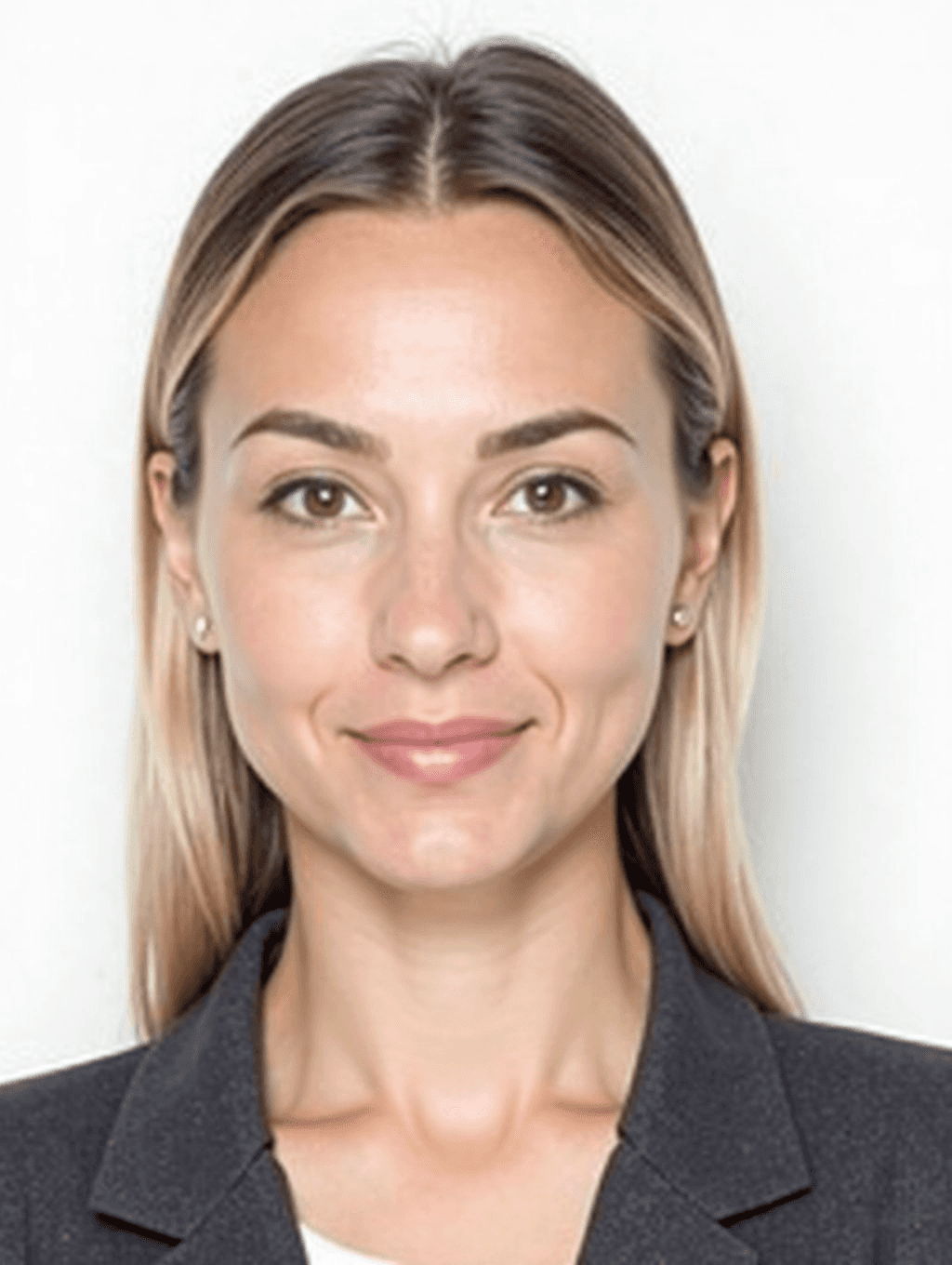
Passport-style portrait generated
The photo was reworked into a front-facing, document-style portrait with a plain white background and neutral, closed-mouth expression.
What changed
- Background replaced with a flat, evenly lit white backdrop, removing the original setting entirely
- Framing adjusted to a straight-on, front-facing angle typical of passport and ID photos
- Expression softened to neutral, with a relaxed closed mouth and eyes open and level
- Lighting evened out across the face to remove shadow on one side
Before you submit this anywhere Head size, background shade, and print dimensions differ by country and can change. Compare this result against your own country's current passport or visa photo specifications before printing or uploading it, and remember that US rules reject digitally altered photos, so submit an unedited photo taken the same way.
How it works
- 1
Upload a clear, front-facing photo
Use a photo taken straight on, with your face fully visible, even lighting, and no hat, sunglasses, or heavy shadow across your features.
- 2
The AI resets the background and expression
It replaces the background with a plain light backdrop and adjusts the framing toward a neutral, document-style portrait rather than a casual photo.
- 3
Get a passport-style portrait back
You receive a front-facing, evenly lit portrait formatted in the style used for official documents, ready for you to review.
- 4
Check it against your country's rules before using it
Compare the result to your own government's current passport photo specifications for background color, head size, and print size, since requirements vary and change.
Use cases
Preparing a draft before an official photo appointment
Get a sense of how a passport-style version of your photo looks before paying for prints at a pharmacy or post office counter.
Planning your shot before a renewal
Online renewals ask you to upload your own photo. Preview the passport look here, then recreate the same framing, background, and expression in a real, unedited photo you take yourself.
Preparing photos for other ID-style documents
The same neutral, front-facing style is useful for badges, membership cards, or other documents that ask for a plain, formal headshot.
Comparing a few photos before choosing one
Run a couple of your candidate photos through the tool to see which one produces the cleanest, most usable passport-style result before you commit to printing.
Tips for better results
- Start with a photo taken straight on, not from an angle or looking off to the side.
- Remove glasses, hats, and anything covering your hairline or forehead before photographing yourself.
- Use even, natural light so the AI doesn't have to guess at shadowed areas of your face.
- Keep a neutral expression in the source photo since it carries over into the result.
- Always verify the final image against your own country's current passport photo rules before submitting it anywhere.
Limitations
This tool regenerates your photo with AI. It can smooth skin, shift the angle of your face, or change small details, and US passport rules (like those of many other countries) reject photos that have been digitally altered or retouched. Use the result to plan your pose, lighting, and framing, then take or get an unedited photo that meets the official specification for your application. Requirements change, so check the current rules on travel.state.gov or your own government's site before submitting anything.
Frequently asked questions
Can I submit this AI photo with a US passport application?
We don't recommend it. The State Department does not accept digitally altered photos, and this result is generated by AI. Use it as a preview, then submit an unedited photo that meets the official 2 x 2 inch specification.
Does it guarantee compliance with US passport photo requirements?
No. Acceptance is decided by the passport authority, and an AI-generated photo can be rejected as altered. Use it to check framing and pose, then compare your real submission photo to the current official specification.
What should my original photo look like?
A clear, front-facing photo with even lighting, a neutral expression, and no hat or sunglasses gives the tool the most to work with.
Can I use this for a photo other than a US passport?
Yes, the neutral, front-facing, plain-background style is similar across many countries' passport and ID photos, but you still need to check your specific country's rules on sizing and background color.
Does it change my facial features?
It can. The model regenerates the whole image, so skin texture, the angle of your face, or small details may shift slightly. That's fine for a preview, and it's the reason the result shouldn't be submitted as your official photo.
Can I print this photo myself?
For a badge or membership card, yes, after cropping it to the size you need. For a passport or visa, print an unedited photo instead, sized to the exact dimensions your application asks for.
Plans start at $9 a month. See pricing